Logistics, handled
Stop chasing Venmo for tournament money
Send one link. Families register and pay online, spots fill in real time, reminders go out on their own — and refunds happen the way you'd expect: on purpose, never automatically.
See it in under a minute
A family's actual registration page for a tournament — price, spots left, and a countdown to the deadline, on the phone they already have open.
- One public link, shareable anywhere your families already look
- A clean, mobile-first page carrying your org's own name and colors
- Funds settle directly to your organization's own bank, always
How it works
Three steps. No spreadsheet required.
Set it up
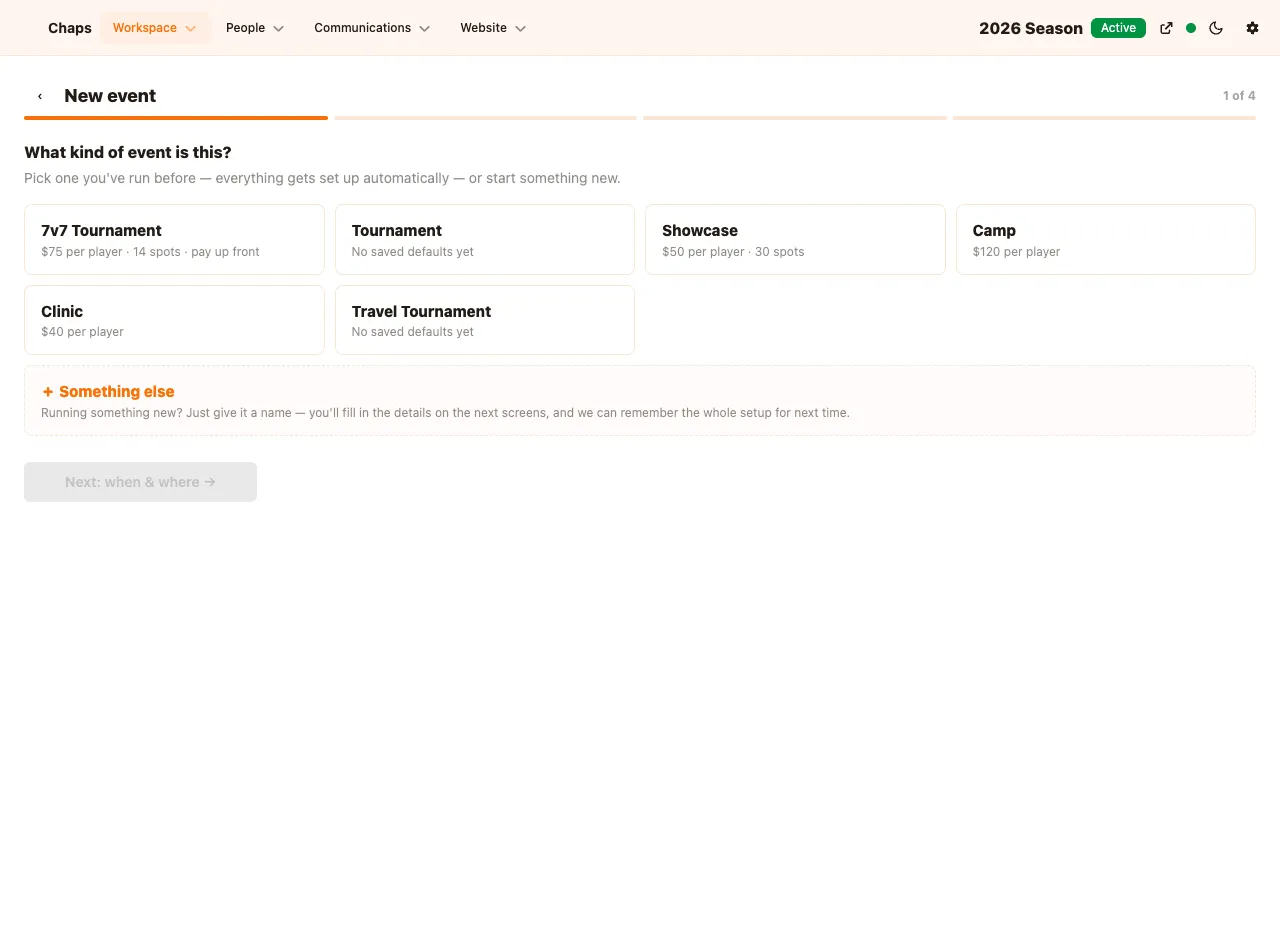
Pick a kind you've run before — the price, roster size, and payment terms fill themselves in — or start from scratch in a couple of taps.
Send the link
Invite your bench directly, or drop one public link in the team group chat. Either way, families land on the same simple page.
Watch it run
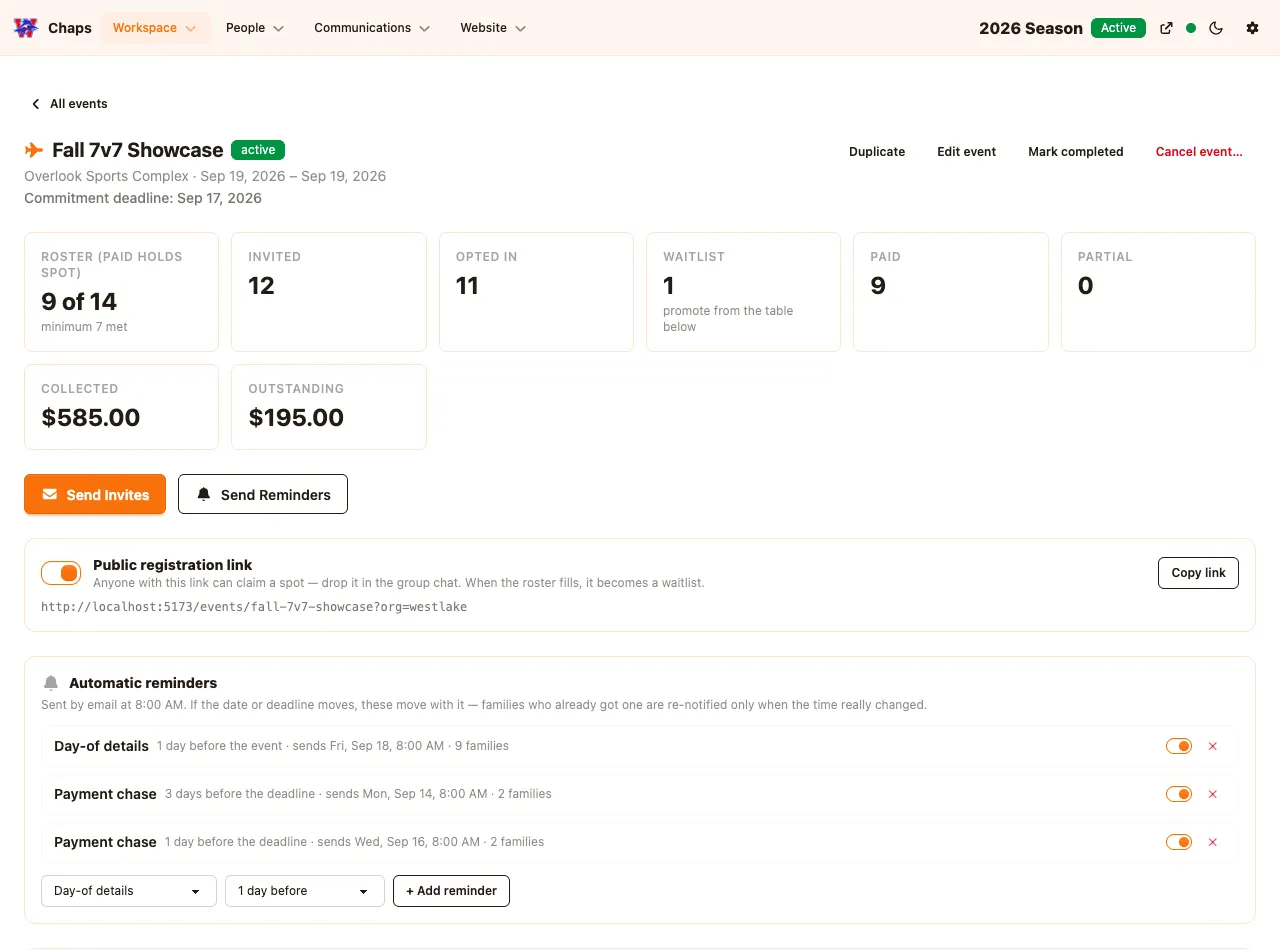
Payments, waitlist, reminders, and refunds — all tracked from one dashboard, updating in real time as families respond.
Setup
Faster than finding last year's spreadsheet
Save your usual setup once — $75 a player, 14 spots, pay up front — and every future tournament starts from that. The fee your org keeps is disclosed in plain dollars before you ever hit save, so nobody's surprised when the money lands.
Payments
Families pay online. The money is yours, not ours.
Every payment lands directly in your organization's own account — you're the merchant of record, always. Watch collected and outstanding balances update live, right down to who still owes what.
Registration
One link. Spots fill themselves — and so does the waitlist.
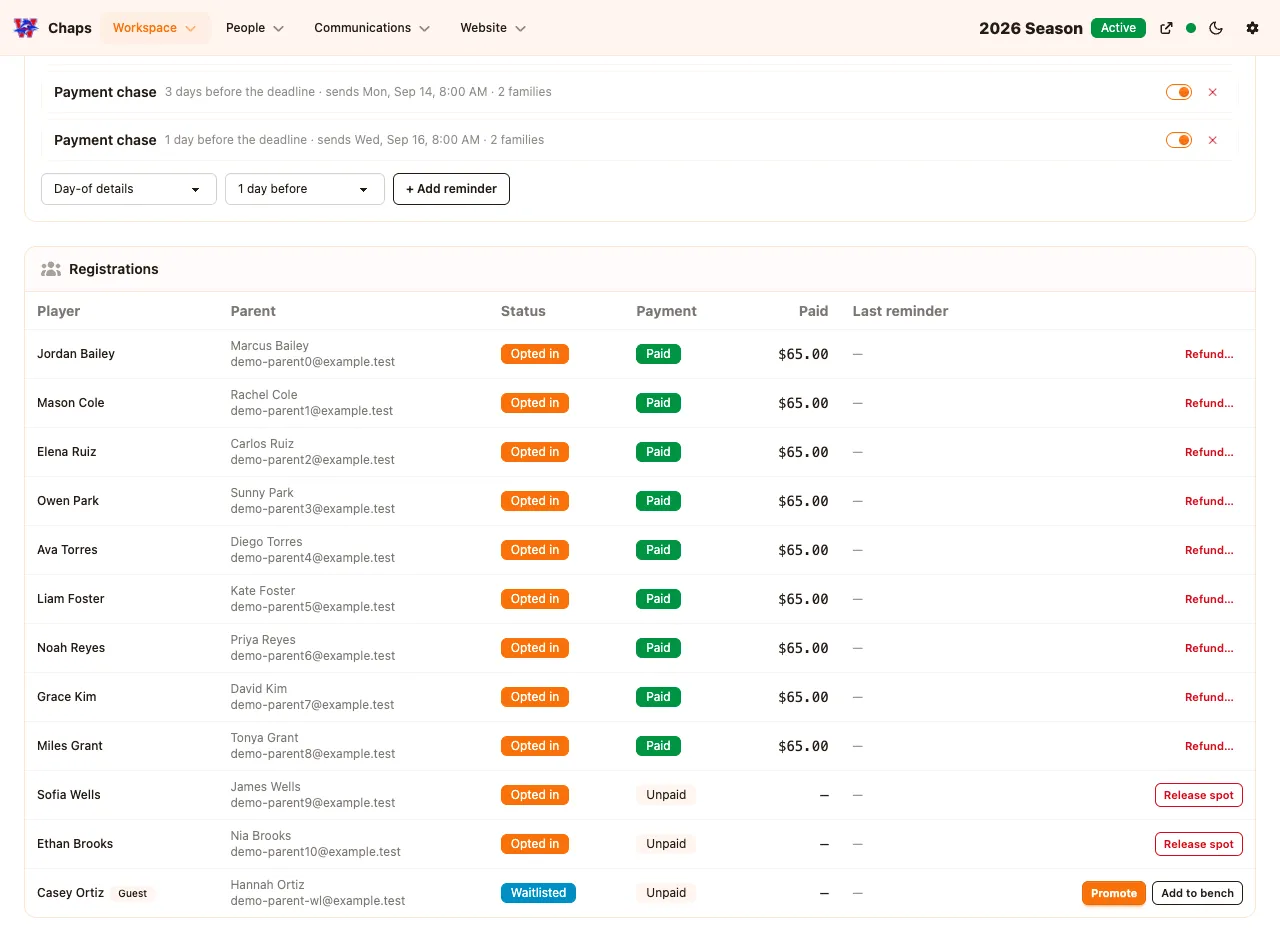
Share a single public link anywhere your families actually look. When the roster's full, the next family lands on a waitlist automatically — and promoting them takes one click, with their payment link emailed the moment a spot opens.
Reminders
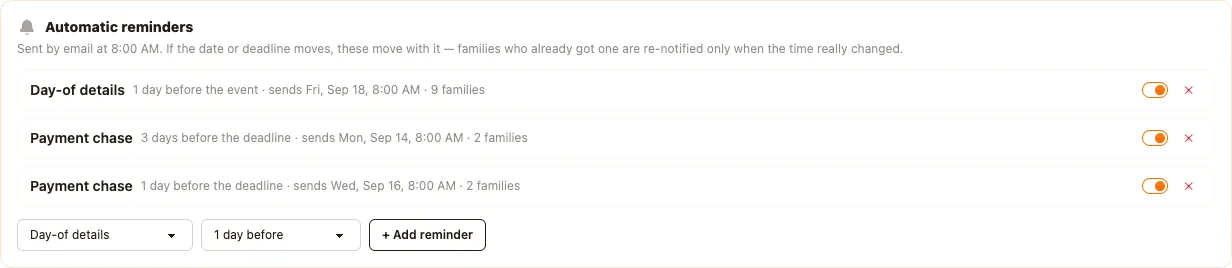
Reminders that know who to chase — and when to hold back
Families who never responded get one message. Families who said yes but haven't paid get another. And if a roster's still short of what it needs to run, the day-before reminder holds itself — nobody gets a "see you Saturday!" email for a tournament that might not happen.
Refunds
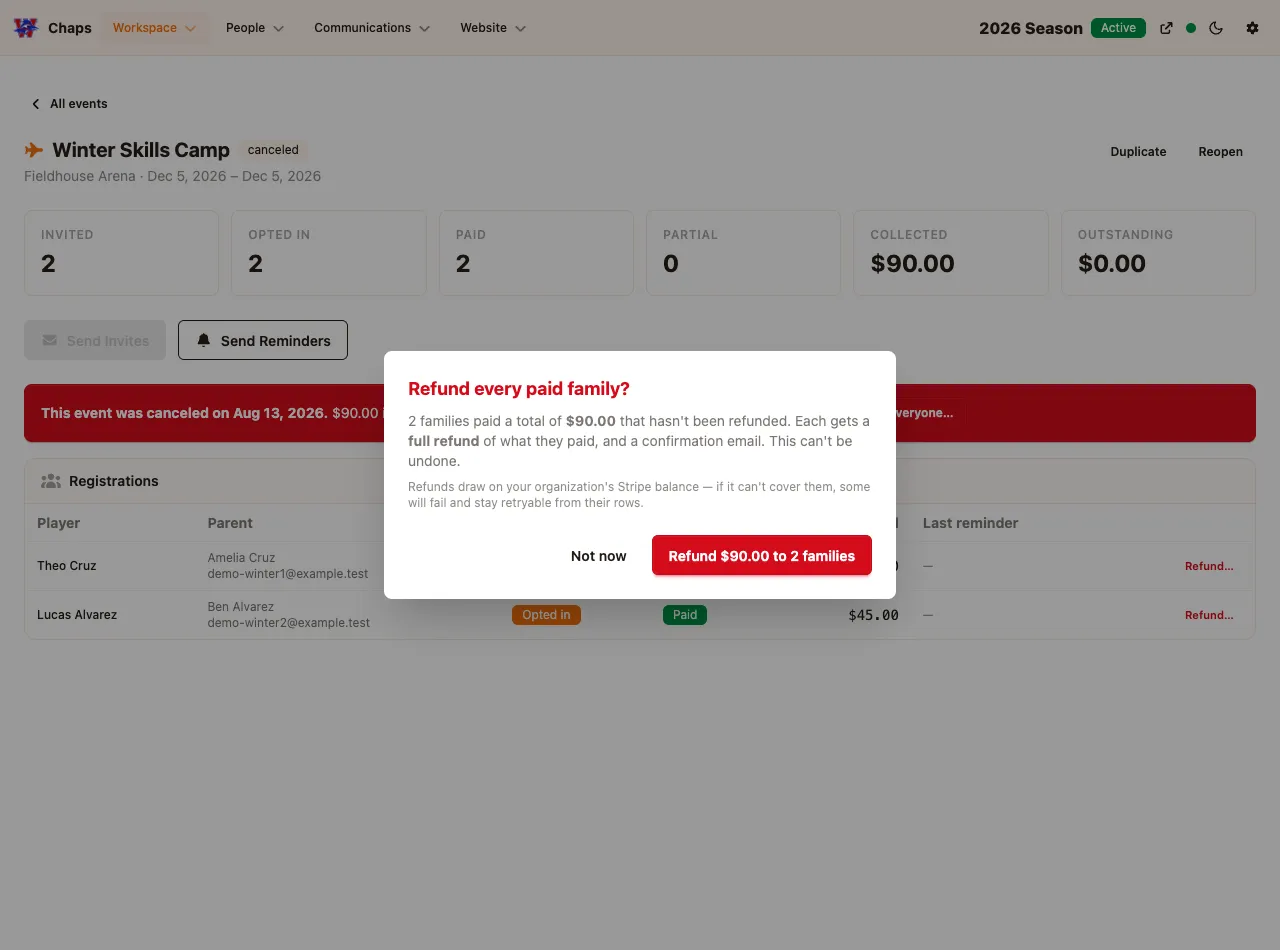
A rainout doesn't mean digging through your own Venmo history
Refunds are always something you choose to do — never something that happens on their own. Cancel an event and one action refunds every family who paid, in full, with a confirmation that shows exactly who and how much before you commit.
Also included
The small stuff, sorted too
Every family-facing page and email carries your org's own name and colors — never ours.
Events close themselves out the day after they end. Nothing to remember to do.
Running the same tournament again? Duplicate it and change the date — done.
A guest who registers and plays becomes part of your player pool for next time.
Built on Stripe. Card payments are processed the same way thousands of businesses already trust — your organization holds its own connected account, sets its own payout schedule, and never hands funds to a third party in between.
Frequently asked questions
- What kind of events is this for?
- Anything you're charging registration for and don't want to run through Venmo — a tournament, a showcase, a fundraiser, a one-off clinic. Save a type once (price, roster size, payment terms) and every future event starts from that.
- Where does the money go?
- Straight to your organization's own Stripe-connected account — you're the merchant of record, always. The dashboard shows collected and outstanding balances updating live, down to who still owes what.
- What happens when an event fills up?
- The next family lands on a waitlist automatically. Promoting someone off it takes one click, and their payment link goes out by email the moment a spot opens.
- Do reminders go out even if the event might not happen?
- No. Families who haven't responded or haven't paid get chased automatically — but if the roster's still short of what it needs to run, the day-before reminder holds itself. Nobody gets a "see you Saturday!" email for an event that might get cancelled.
- What if I have to cancel and refund everyone?
- Refunds only ever happen because you chose to. Cancel the event and one action refunds every family who paid, in full — with a confirmation showing exactly who and how much before you commit to anything.